
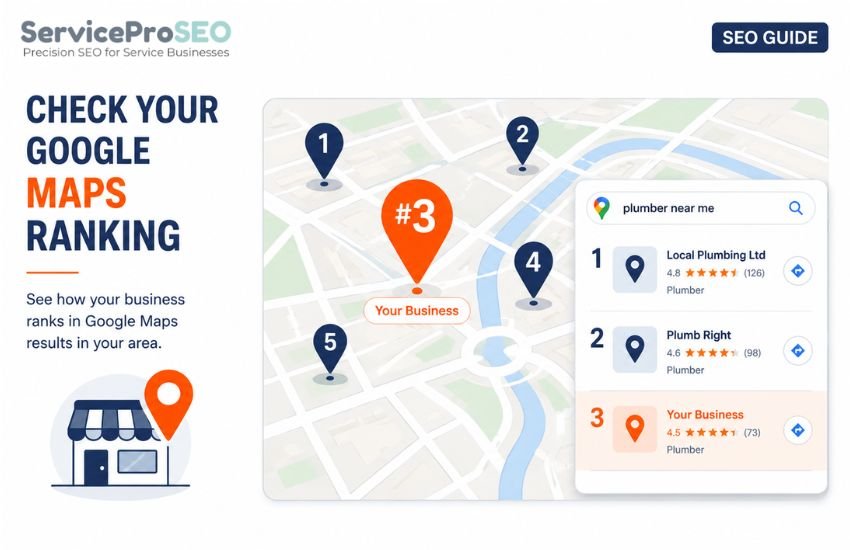
What Is a Google Maps Ranking?
A Google Maps ranking is the position a business holds in Google’s local search results for a particular query and location. These results represent businesses, usually through their Google Business Profiles, rather than individual web pages.
This is different from checking an organic search ranking. Organic results return web pages and URLs; Maps results return businesses. If you want to check how a page ranks in Google’s standard search results, see How to Check Your Google Ranking From Another Location. This guide focuses specifically on checking where a business appears in Google Maps results.
How to Check Your Google Maps Position
To check a Google Maps ranking, specify a keyword and search location, then run the check using that location rather than your own. The result shows the businesses returned for that keyword and location and the order in which they rank.
A local rank checker lets you enter a keyword and supported location, choose desktop or mobile, and return the Maps results for that search. You can see which businesses appear, their ranking positions, and whether your own business is among them.
For example, checking “emergency plumber” with Southampton as the location and mobile as the device returns the Maps results for that search, showing the businesses returned and their ranking positions.
Choose a Keyword and Search Location
Pick the keyword a customer would realistically search for — “emergency plumber,” “electrician,” “dentist” or similar — and pair it with a search location such as a town, city, or postcode. If a business serves several towns within its service area, check each location separately, keeping the keyword and device the same each time so the results are directly comparable.
Check Maps Rankings on Mobile or Desktop
Maps results can differ between mobile and desktop. Where device visibility matters, check both using the same keyword and location. Local searches are common on mobile, so checking mobile results can be particularly useful when assessing a business’s visibility to mobile searchers.
What Does a Google Maps Ranking Result Show?
A Maps ranking check returns the businesses appearing for the keyword and location, together with their ranking positions. For “emergency plumber” in Southampton, for example, the results might contain Business A, Business B and Business C in the leading positions.
This lets you see whether your business appears, its position if it does, and which other businesses Google returns for the same search. You can also open a Maps result to take a closer look at the business listing.
If you want to go further and identify the businesses competing for visibility across Maps and organic search, see How to Check Who Your Local SEO Competitors Are.
Why Maps Rankings Can Differ From Organic Rankings
Maps and organic results are separate result types. A business can appear prominently in Maps while its website ranks lower in the organic results, or the other way around.
A Maps check measures the position of businesses in Google’s local results. An organic check measures the position of web pages in Google’s standard search results. Checking both can therefore give you a broader view of search visibility for the same keyword and location.
Keep Your Maps Search Settings Consistent
If you’re comparing Maps rankings across several locations, change only the location. Keep the keyword and device the same for each check.
If you’re comparing mobile with desktop, keep the keyword and location unchanged and change only the device. This makes it easier to see which variable corresponds with the difference in the results.
Check a Google Ranking From Another Location
ServiceProSEO’s Local Rank Checker lets you check Google Maps results from supported locations across the UK and US. Enter a keyword, choose your location and select mobile or desktop to see the businesses returned and their ranking positions.
Your first 3 checks are free. There’s no sign-up or subscription required. If you need more, buy credits from £4.99 and use them whenever you need them. Credits don’t expire.